AI in construction is software that reads drawings, documents and schedules and does work a person used to do by hand: measuring quantities, comparing drawing revisions, checking claims, chasing approvals and answering questions about the project. The construction AI that pays for itself today does one of those jobs from start to finish and leaves a person to check the result.
Where AI in construction works today
| Job | By hand | With AI | In Matrak |
|---|---|---|---|
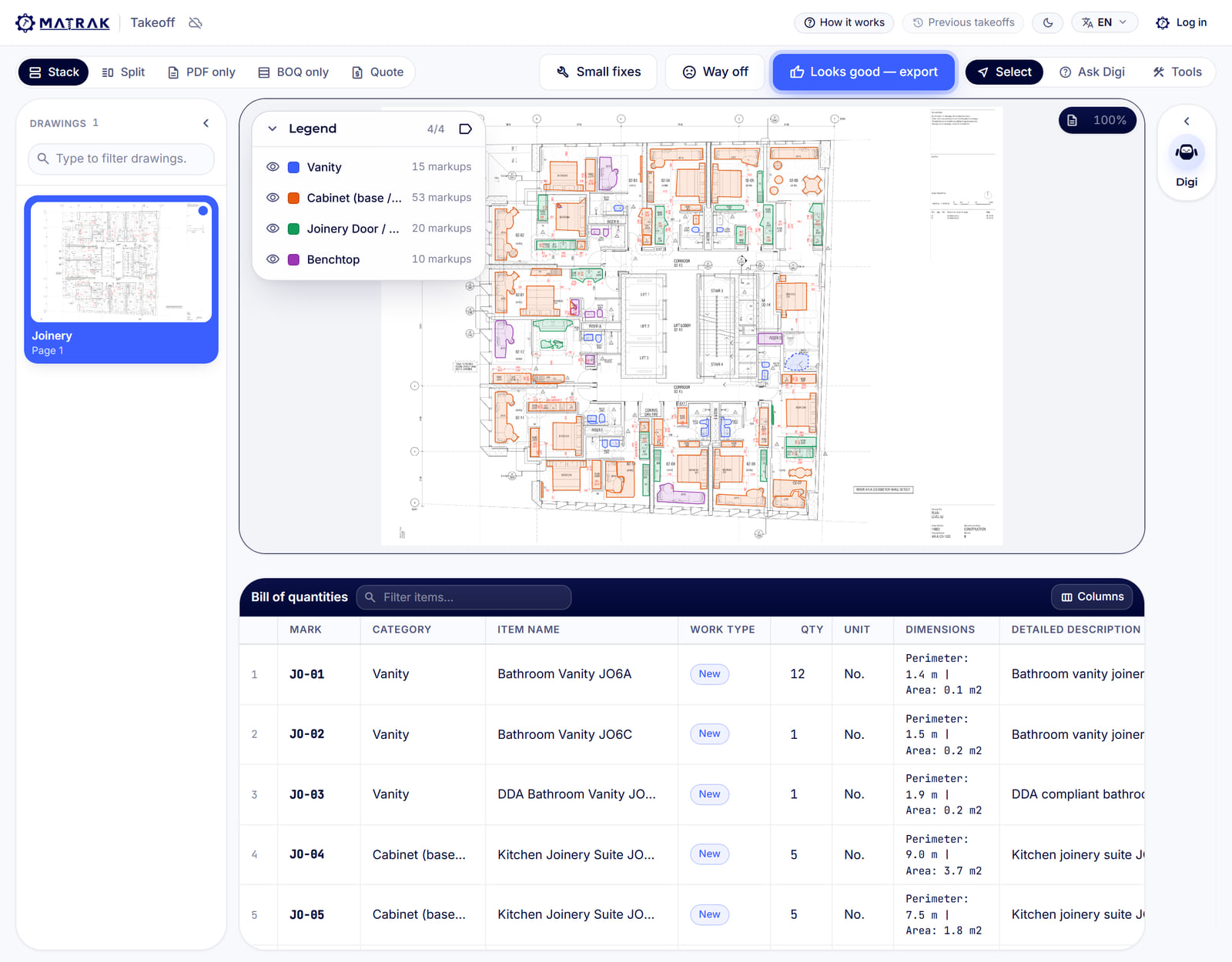
| Quantity takeoff | An estimator measures sheet by sheet | The whole drawing set measured in one pass, for a person to check | AI Takeoff |
| Estimating | Quantities re-keyed into price lists | Each line priced from your own product and price lists | Estimating |
| Drawing revisions | Old and new sheets compared by eye | New revisions found and the changes marked | Revisions |
| Variations | A re-measure that takes days | Re-measured when the revision lands, with what changed | Variations |
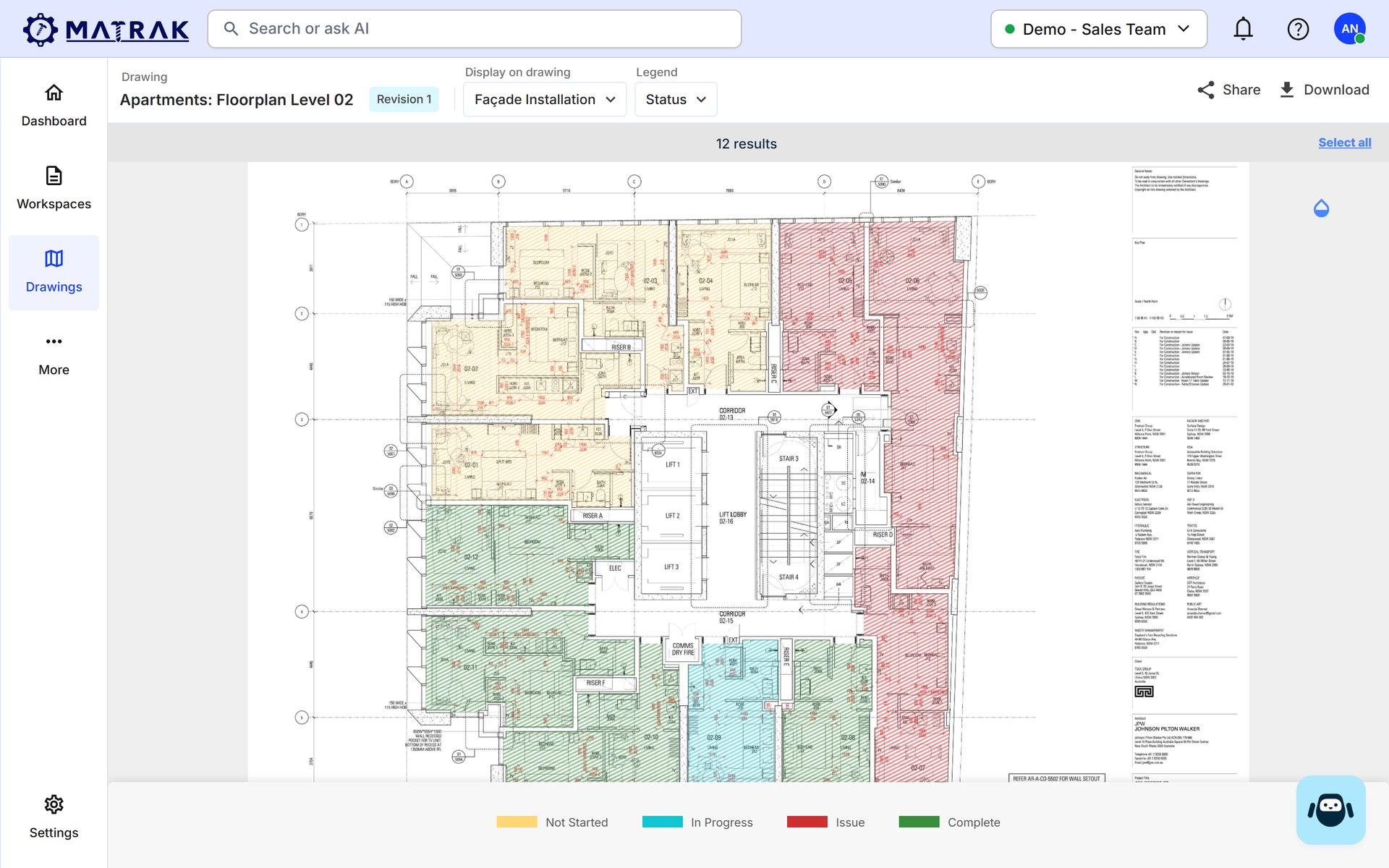
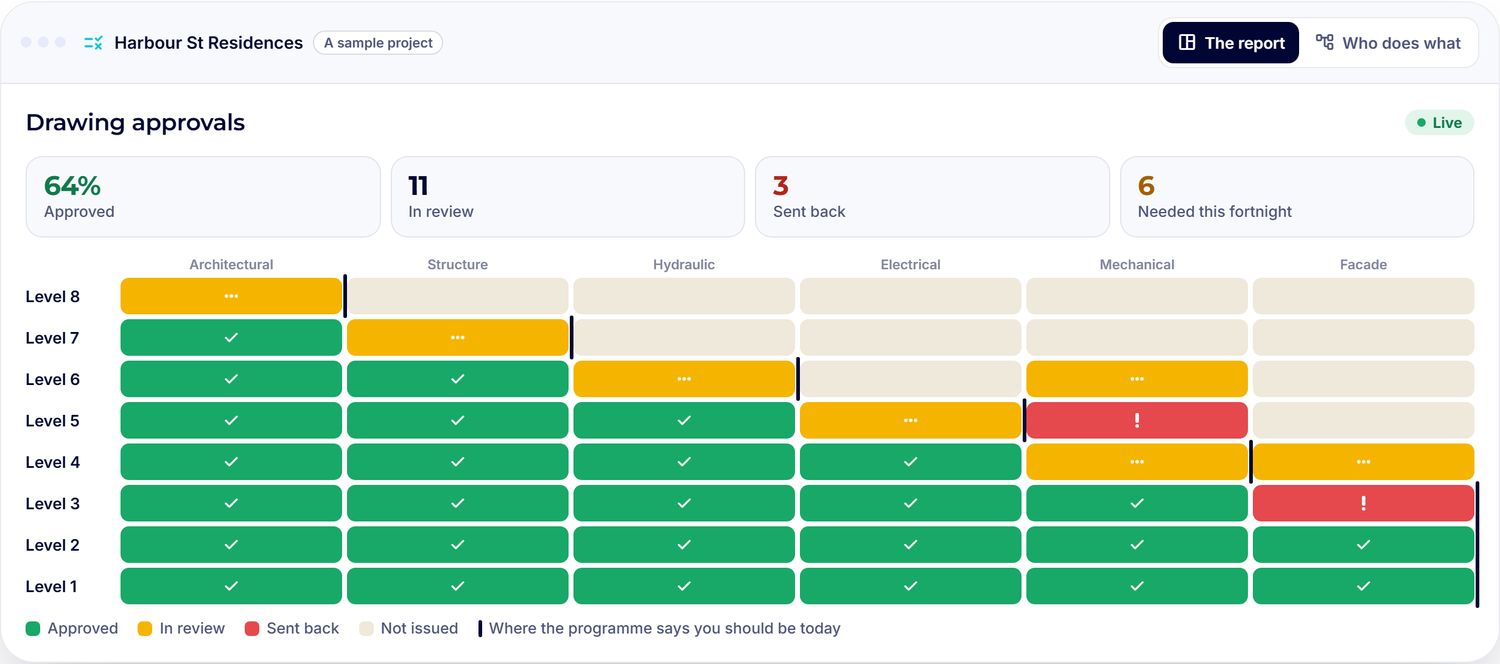
| Design approvals | A spreadsheet and a lot of emails | Every drawing's approval tracked and overdue ones chased | Design management |
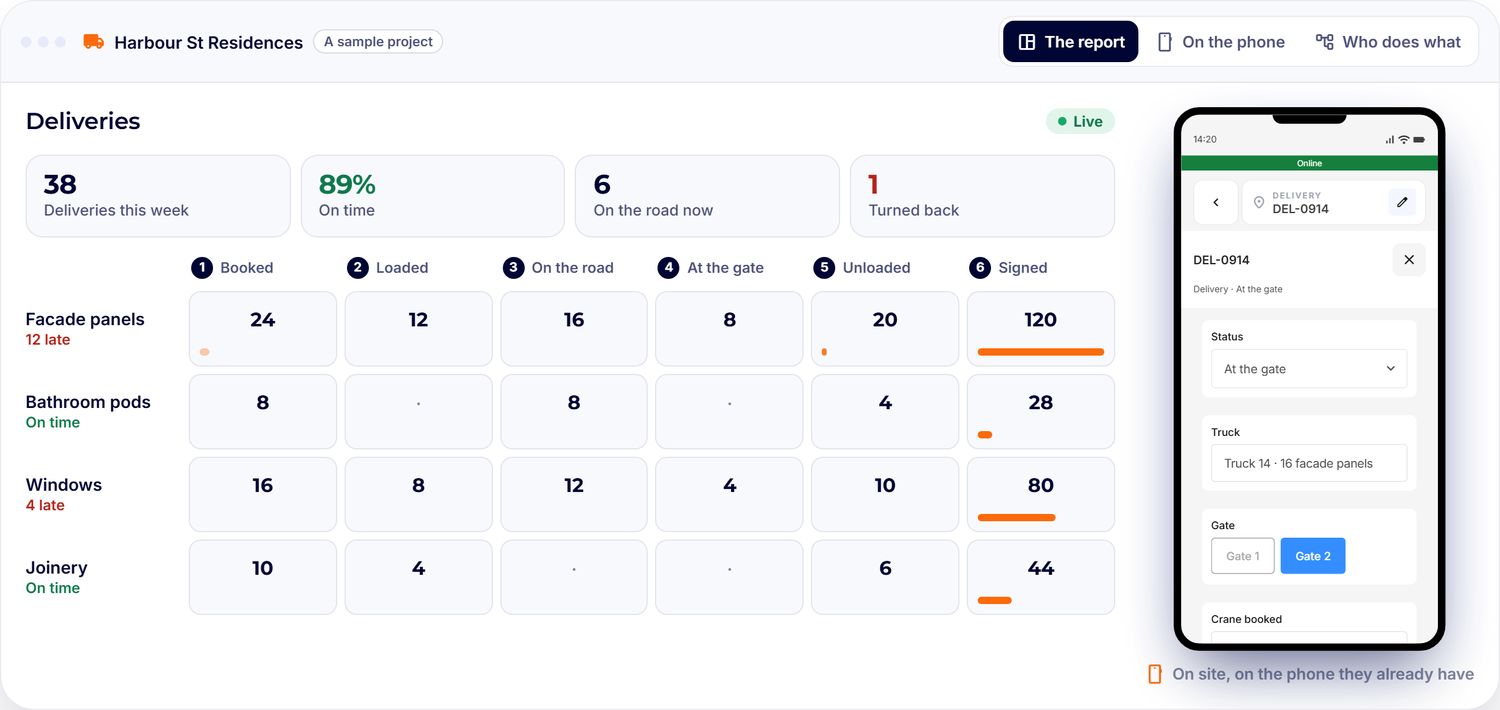
| Progress claims | Walk the site, then argue | The claim checked against the drawings and what is done on site | Claims |
| Embodied carbon | A consultant's report, weeks later | A carbon factor on every line of the bill of quantities | Carbon |
| Quality set-up | ITP registers typed room by room | ITPs built from the drawings | Quality |
AI construction software: six questions to ask
- Does it do the first pass? Or does it wait for a person to click on every item?
- Does it take the whole project? Or one sheet at a time, so the same door is counted on the plan, the elevation and the schedule?
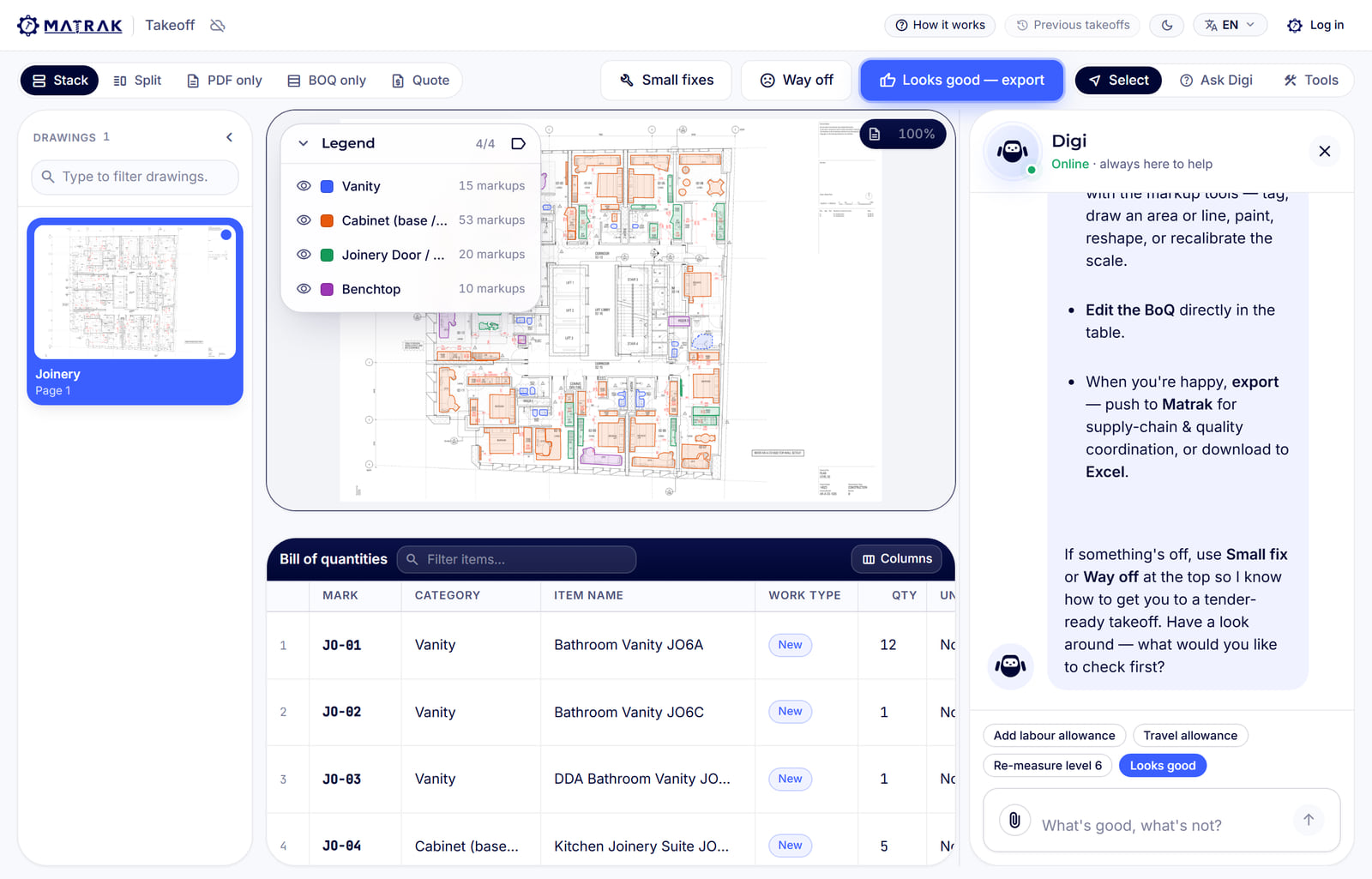
- Can you see where each number came from? A marked-up drawing behind every quantity, and a history of every change.
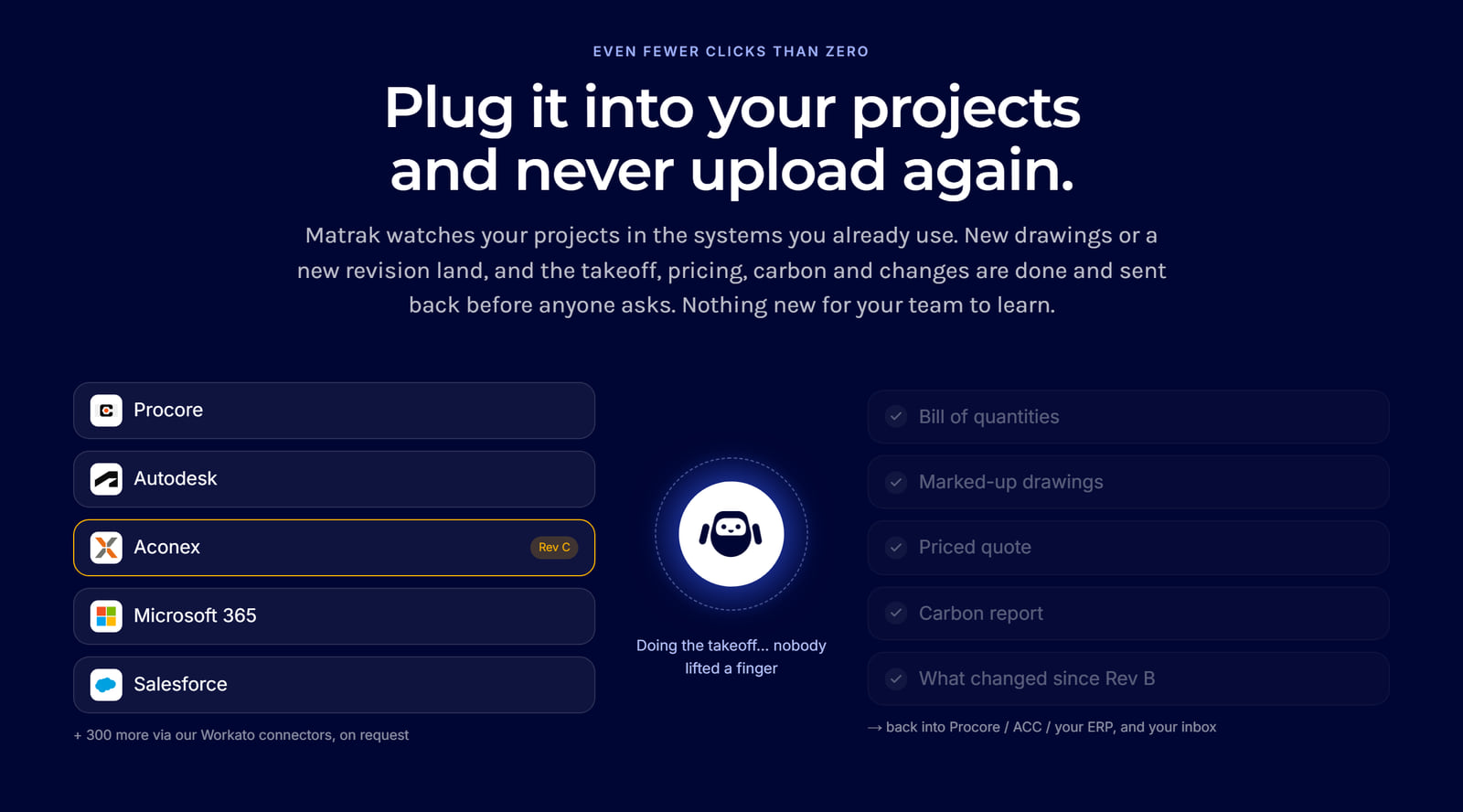
- Does it reach your documents where they are? Or do you download and upload them by hand?
- Does the answer come back in your format? Your own Excel layout, not a new one to learn.
- What does one job cost against the labour it saves?
One AI takeoff is $89 a trade, however many drawings go in together, and can save over $2,000 of estimating labour on one project.
AI agents for construction: work that runs itself
A chatbot answers when you ask. An AI agent is given a job and a schedule and gets on with it. On a project that looks like this:
- New drawings land in your document system. The agent runs the takeoff again, on approved versions only if you say so.
- A revision changes the design. It is re-measured against the last one, and you get what changed and what it costs.
- A drawing approval is overdue. The design manager AI chases it by email and in the app.
- You ask a question. The AI finds the answer in your documents. Matrak is the only source of an Aconex MCP, and connects to Procore and Autodesk the same way.
In Matrak the connections, the scheduled tasks and Digi's access to your documents are free. You pay as you go for the takeoffs and the other work they run.
AI for contractors: where to start
| You are | Start with | Because |
|---|---|---|
| An estimator or subcontractor | AI Takeoff | The tender is measured overnight and you check it in the morning |
| A head contractor | Design management and Quality | No level waits on a late drawing, and the ITPs are built for you |
| A contracts administrator | Variations and Claims | You know what a change costs, and what is really done, before the meeting |
| A supplier or manufacturer | AI Takeoff, then Supply chain | The bill of quantities becomes the list of products to make and track |
AI for builders and subcontractors does not need a data team or a six-month rollout. It needs one job that hurts, and your own drawings.
Example: one tender, measured overnight
| When | What happens |
|---|---|
| 5:00 pm | Drop in 300 PDFs, or import the drawings from Procore, Aconex or Autodesk |
| Evening | The AI reads every sheet and counts each item once across plans, elevations and schedules |
| Next morning | A bill of quantities for each trade, with every item marked up on the drawings |
| 9:00 am | The estimator checks it, fixes anything with the markup tools or by asking Digi, and prices it |
| Midday | The quote goes out in your own Excel format |
ChatGPT for construction: what it is good for
A general chatbot is good with words: drafting an email, summarising a specification section, explaining a contract clause in plain English. Measuring a 300-sheet drawing set to scale, counting each item once and keeping a record of every change is a different job. That takes AI built for construction drawings and connected to your project documents.
Common mistakes when buying AI
- Buying the demo. Ask to see it on your own drawings, not the vendor's.
- No person in the loop. AI does the first pass. Someone who knows the trade checks it.
- Numbers you cannot trace. If you cannot see where a quantity came from, you cannot stand behind it.
- Another island. AI that cannot reach your document system gives you one more upload to do.
- Stopping at the takeoff. AI construction management starts when the same bill sets up supply chain, quality and progress.
Construction AI software from Matrak
| What you get | Matrak |
|---|---|
| The whole project measured in one pass, over 1,000 documents | Yes |
| Each item counted once across plans, elevations and schedules | Yes |
| A marked-up drawing behind every quantity | Yes |
| Built on a library of over 90 trades | Yes |
| Your own Excel format for the bill and the quote | Yes |
| Runs by itself as new drawings land | Yes |
| Embodied carbon, variations, claims and design management from the same drawings | Yes |
How Matrak does it. Matrak AI Takeoff reads over 1,000 documents in one pass, counts each item once across plans, elevations and schedules, and hands you a bill of quantities with marked-up drawings in your own Excel format. Built on a library of over 90 trades. $89 a trade, pay as you go (A$, plus GST).
Why it fits how you already work. Documents are fetched from Procore, Aconex and Autodesk with nothing to download, an agent runs the takeoff again as new drawings land, and every change, by the AI or a person, is kept in a full audit history.
Comparing tools? Read the best AI takeoff software and see how Matrak compares. New to takeoff? Start with quantity takeoff. All connections: Matrak integrations.
Frequently asked questions
How is AI used in construction?
AI is used to measure quantities from drawings, price estimates, compare drawing revisions, re-measure variations, check progress claims against the site, track design approvals and answer questions from project documents. In each case the AI does the first pass and a person checks it.
What is the best AI for construction?
It depends on the job. For takeoff and estimating from drawings, Matrak AI Takeoff measures the whole project in one pass, counts each item once across drawings and returns the bill in your own Excel format, for $89 a trade. The same drawings then set up variations, claims, design management and carbon.
Will AI replace estimators?
No. AI takes over the measuring, which is the slow part. The estimator still checks the quantities, prices the risk and decides what goes in the tender, and can price more tenders in the same week.
Can ChatGPT do a construction takeoff?
A general chatbot can explain a drawing note or draft a scope letter. A takeoff needs every sheet measured to scale, each item counted once across the set and marked-up drawings to check against, which is the job AI takeoff software is built for.
What are AI agents in construction?
An AI agent is AI that is given a task and a schedule and works without being prompted each time: running a takeoff when new drawings are issued, re-measuring a revision, or chasing an overdue approval. A person sets the rules and checks the results.
How much does construction AI software cost?
Matrak AI Takeoff is $89 a trade, pay as you go, with no subscription (A$, plus GST). The connections to Procore, Aconex and Autodesk and the scheduled tasks are free.