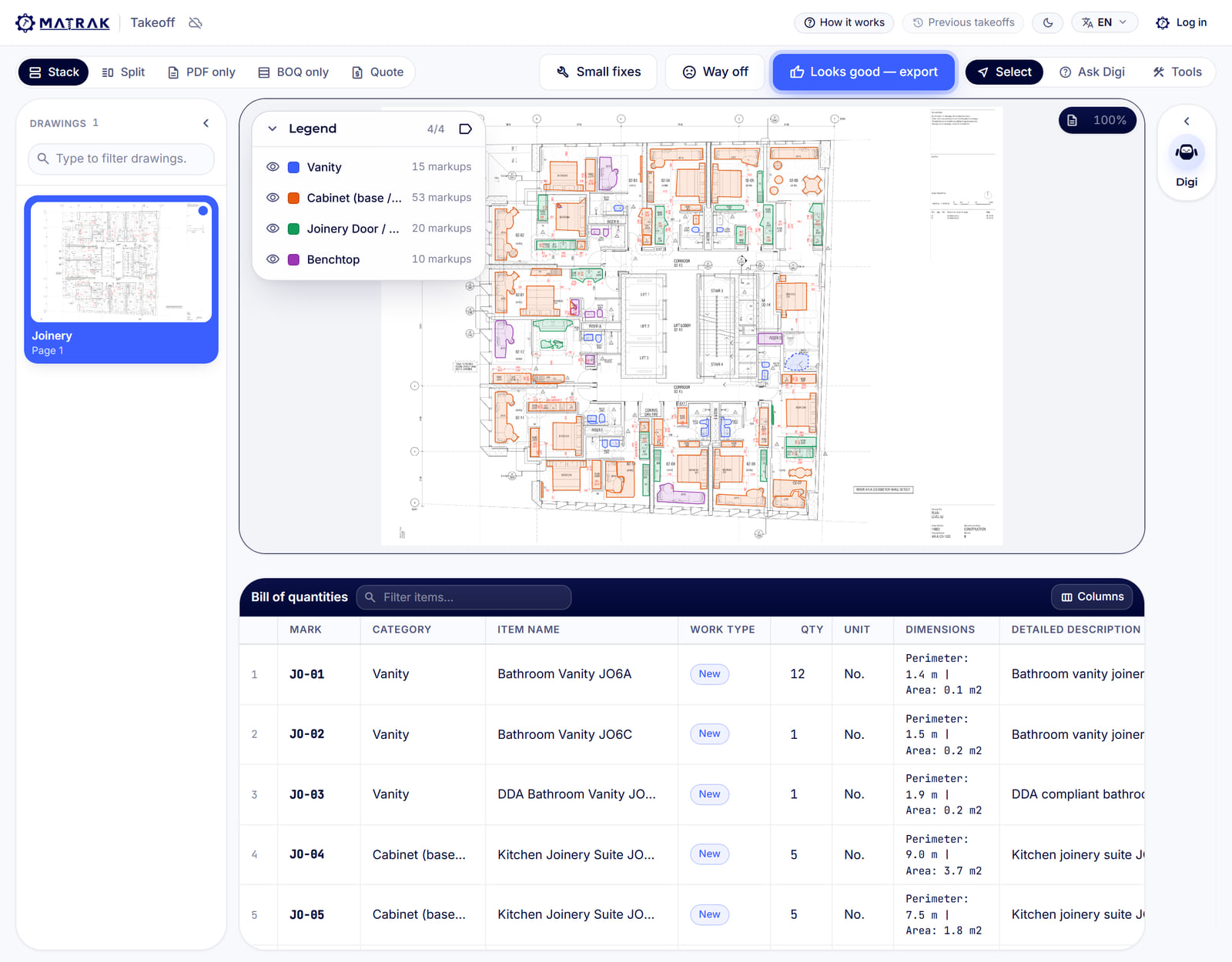
A quantity takeoff is the job of counting and measuring everything a construction project needs from its drawings: how many of each item, how many metres of each run, and how many square or cubic metres of each material. The result is a list of quantities that is priced to make an estimate or tender, and later used to order materials. It is called a takeoff because the quantities are taken off the drawings.
Every builder, subcontractor and supplier pricing a job does one, which is why the same set of drawings is often measured dozens of times by different companies.
What do you measure in a takeoff?
| Type | Unit | Examples |
|---|---|---|
| Counts | no. (each) | Doors, windows, light fittings, power points, sprinkler heads, precast panels |
| Lengths | m (lineal metres) | Pipe, cable, conduit, skirting, kerbs, steel sections |
| Areas | m2 | Plasterboard, flooring, paint, membrane, formwork, facade |
| Volumes | m3 | Concrete, excavation, fill |
| Weights | t or kg | Reinforcement, structural steel (usually from length x mass per metre) |
Manual vs on-screen vs AI takeoff: which should you use?
| Manual | On-screen | AI takeoff | |
|---|---|---|---|
| How it works | Scale rule and highlighter on printed drawings, quantities typed into a spreadsheet | Click and trace on the PDF in takeoff software, which does the maths | Software reads the drawings and measures them, then you check the result |
| Time for one trade | Hours to days | Hours | Minutes to an hour, plus checking |
| Typical errors | Missed items, arithmetic, wrong scale | Missed items, wrong scale on a sheet | Misread symbols, double counts, items that are specified but not drawn |
| Audit trail | Marked-up paper | Marked-up PDF | Marked-up PDF, if the tool shows its working |
| Best for | Small jobs, quick checks | Estimators who measure every week | High tender volume, short deadlines, a second check on a manual takeoff |
Short on time for the next tender? Matrak AI Takeoff measures the whole project for you and marks every item on the sheet. It is $89 a trade with no subscription, and can save over $2,000 of estimating labour on one project.
How do you do a quantity takeoff?
- Get the right drawings. Current revisions, plus the specification, schedules and addenda.
- Check the scale on every sheet. Measure a known dimension before you trust it. PDFs are often printed or exported at the wrong size.
- List what you are measuring. Write the item types for your trade before you start, from the legend, schedules and specification.
- Measure sheet by sheet, marking as you go. Colour each item as it is counted so nothing is missed or counted twice.
- Multiply typical floors and note which levels differ.
- Add what is not drawn. Fixings, sealants, laps and waste, from the specification and your own experience.
- Check it using the tests below, then build the bill of quantities.
Quantity takeoff example: one partition type
| Step | Working | Result |
|---|---|---|
| Wall length, type P1, from the plan | Sum of all P1 runs | 86.4 m |
| Gross wall area | 86.4 m x 2.7 m high | 233.3 m2 |
| Less door openings | 12 doors x 0.92 m x 2.04 m | 22.5 m2 |
| Net wall area, one face | 233.3 - 22.5 | 210.8 m2 |
| Plasterboard, both faces | 210.8 x 2 | 421.6 m2 |
| Add 10% waste | 421.6 x 1.10 | 463.8 m2 |
| Sheets to order, 1.2 m x 2.7 m (3.24 m2 each) | 463.8 / 3.24 = 143.1 | 144 sheets |
In this construction takeoff example the bill of quantities carries the net area (210.8 m2 of partition). The sheets to order are a bill of materials figure. Mixing the two up is a classic source of pricing errors.
How do you check a takeoff is accurate?
- Compare to floor area. Floor finishes should roughly equal the floor area. Ceilings too.
- Count from schedules as well as plans. Door and window schedules should match the counts on plan. Investigate differences.
- Use ratios you know. Metres of partition per m2 of floor, fittings per apartment. A number far from your usual range needs a second look.
- Re-measure the biggest lines. A handful of lines usually carry most of the cost.
- Look at the mark-up, not just the number. A total can be right by accident. The coloured drawing shows what was measured and what was missed.
- Get a second measure on jobs that matter, by another person or another method.
What does AI takeoff get wrong, and how do you check it?
AI takeoff is fast, but it is not magic, and anyone who tells you it is 100% accurate is selling something. From our own benchmark on six live projects, scored line by line against an audited answer, Matrak's AI Takeoff agent reached 89% of quote lines usable as they were, an experienced human estimator working under normal time pressure reached about 66%, and general-purpose AI models scored lower again. Read the benchmark. So expect errors from any method, and check for these:
- Over-counting. The same item counted on a plan and again on a detail, elevation or schedule. In our benchmark, the strongest general-purpose AI model erred heavily towards over-counting.
- Lookalike symbols. Two fittings with similar symbols merged into one type, or one type split in two.
- Scale and sheet problems. A not-to-scale detail measured as if it were to scale.
- Things that are specified but not drawn. If it is only in the specification, a drawing-based takeoff will not find it.
- Scope boundaries. Items that belong to another trade or are marked as existing, by others or future.
- Poor drawings. Scanned, hand-marked or crowded sheets lower accuracy for people and software alike.
The way to check is the same as for a junior estimator's work: open the marked-up drawings and look. Use a tool that shows every counted item on the sheet it came from, review the largest lines first, and correct the bill before you price it. Comparing tools? See the best AI takeoff software and the best construction estimating software in Australia.
What are the common takeoff mistakes?
- Measuring from a superseded revision.
- Trusting the title-block scale without checking a dimension.
- Forgetting to multiply typical floors, or multiplying a floor that is different.
- Missing items that only appear in sections, details or the specification.
- Mixing net quantities with order quantities that include waste.
- No record of what was measured, so a later variation cannot be priced against it.
Quantity takeoff with Matrak
How Matrak does it. Matrak AI Takeoff turns your drawings into a bill of quantities, with every item marked up. Drop in your PDFs, pick the trade and say anything to include or leave out. Every line is marked on the sheet it came from, so you can see what was counted, fix it, and export it. It is pay as you go: $89 a credit with no subscription, or from $65 a credit on a monthly plan. One credit reads one trade, however many drawings go in together (A$, plus GST).
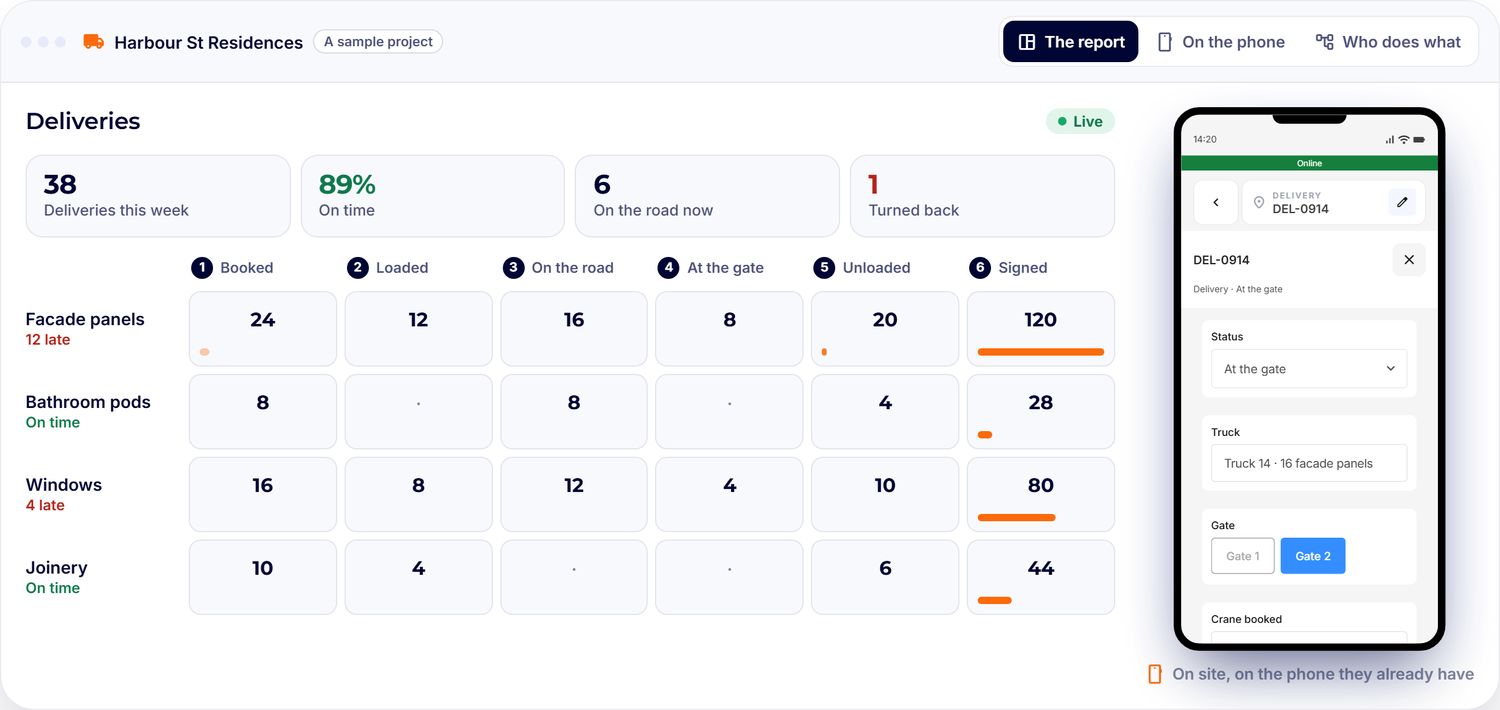
Why estimators switch. Measuring one project by hand can take over $2,000 of an estimator's labour. One AI takeoff is $89 a trade, so it can save over $2,000 of estimating labour on one project. The AI does the first pass and a person checks it. It runs over 1,000 documents in one pass, so the whole project is measured at once, and it cross-references between drawings, so the same item on a plan, an elevation and a schedule is counted once. It is built on a library of over 90 trades, fetches drawings from Procore, Aconex or Autodesk, and can run by itself as new drawings land. The bill and the quote come back as working Excel files in your own format, with fully marked-up drawings, and the same bill goes on to drive supply chain, quality and progress.
Frequently asked questions
What is a quantity takeoff in construction?
It is the process of counting and measuring the items and materials a project needs from its drawings, producing a list of quantities that can be priced and ordered.
What is the difference between a takeoff and an estimate?
The takeoff gives quantities. The estimate applies rates for materials, labour and plant to those quantities and adds preliminaries, overheads, margin and risk.
Is it takeoff or take-off?
Both are used. Takeoff, take-off, material takeoff (MTO) and quantity takeoff (QTO) all mean measuring quantities from drawings.
How accurate is AI takeoff?
It depends on the trade, the drawings and the tool. In Matrak's published benchmark on six live projects, its AI Takeoff agent produced 89% of quote lines usable as they were, against about 66% for an experienced estimator under time pressure. Always check the marked-up drawings before pricing.
Can I do a takeoff from a PDF?
Yes. On-screen and AI takeoff tools both work from PDF drawings. Vector PDFs exported from CAD give better results than scans, and you should confirm the scale on each sheet.
How long does a quantity takeoff take?
By hand, anything from a few hours to more than a week for one trade on a large job. On-screen tools cut that down. AI takeoff can return a first measure for a trade in under an hour, plus the time to check it.
What is a construction material takeoff?
A construction material takeoff (MTO) is the list of materials a job needs, counted and measured from the drawings: sheets, studs, metres of pipe, cubic metres of concrete. It is the buying side of a quantity takeoff.
Is there a construction takeoff template?
A simple one is a sheet with a row for each item and columns for the drawing reference, description, unit, count or dimensions, waste and total. The worked example above uses that layout. For the priced version see our bill of quantities guide.
Sources
Last reviewed 18 November 2026. This guide is general information for people working in construction. It is not legal or contract advice. Check your own contract and the current legislation, or ask a construction lawyer, before you rely on it.