QR codes in construction give each manufactured item, or each pack of items, its own label that anyone can scan with a phone to see what it is, where it belongs and what stage it is at, and to update that stage. Scanned at the factory, at dispatch, at the site gate and at installation, the same code builds a full history of the item without anyone typing an ID or ringing a supplier.
They suit anything made off site for a specific place in the building: facade panels, precast, structural steel, joinery, bathroom pods, doors and FF&E. This guide covers the practical side. For the wider topic read the essential guide to material tracking.
How does QR code tracking work?
- Each item gets a record with a unique ID, taken from the shop drawings or schedule: panel mark, door number, joinery unit.
- A QR label is printed and fixed to the item, or to its pack, stillage or container.
- Each company scans at its own step and sets the status: made, quality checked, packed, dispatched, delivered, installed.
- The scan records who, when and what changed, with photos where they are needed.
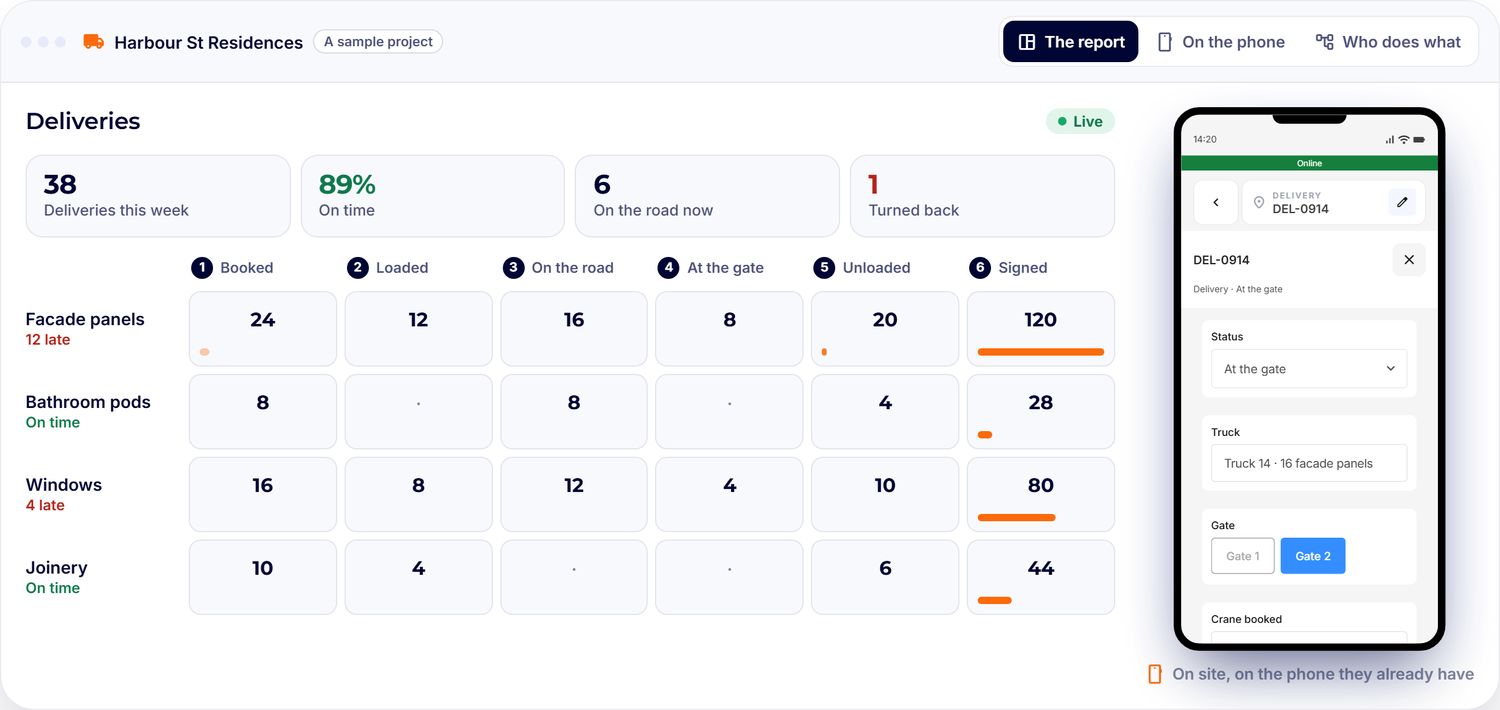
- Everyone sees the same status: the builder, the supplier and the installer, by item, level and delivery.
What is tracked at each stage?
| Stage | Who scans | What is recorded | What it prevents |
|---|---|---|---|
| Manufacture | Factory | Made, with quality checks and photos | Paying for items that have not been made |
| Packing | Factory | Which items are in which stillage, crate or container | Unpacking five crates to find one panel |
| Dispatch | Factory or freight company | Left the factory, on which delivery | Surprise deliveries, missing items |
| Delivery | Site or warehouse | Arrived, condition, where it was put | Disputes about damage in transit |
| Installation | Installer | Installed, where, with photos | Claims for work that is not done |
| Defect or damage | Anyone | The problem, linked to that exact item | Re-ordering the wrong replacement |
Which items are worth a QR code?
| Item | Why it suits QR tracking | Label on |
|---|---|---|
| Facade panels and windows | Every panel has one place on the building and a long lead time to replace | Each panel, and each stillage |
| Precast concrete | Cast, cured, stored and delivered in a strict erection sequence | Each element |
| Structural steel | Many similar members with different marks | Each member or bundle |
| Joinery | Made to measure for a specific room | Each unit or flat pack |
| Bathroom pods and modules | High value, with quality checks before they leave the factory | Each pod |
| Doors and hardware | Fire ratings and hardware sets differ door by door | Each door leaf or frame |
| FF&E | Thousands of loose items going to named rooms | Each item or each carton |
Bulk materials with no individual identity, such as sheets of plasterboard or lengths of pipe, are better tracked by delivery or by pack than item by item.
Want every product tracked from shop drawing to installed, with the QR codes made from your drawings? See Matrak Supply chain, or read about materials tracking software.
What should go on the label?
- The QR code, printed large enough to scan at arm's length.
- The item ID in plain text, so it can be read without a phone.
- Where it goes: project, level, zone or room.
- A short description: type, size or finish.
- Nothing that changes. Status, dates and notes live in the system, not on the sticker.
Use labels that survive the trip: outdoor-grade stickers for anything stored outside, placed where they will not be hidden after packing or damaged by strapping. Put a second label on the pack as well as on the items inside it.
What goes wrong with QR codes on site?
- Labels that fall off, fade or get painted over. Test the sticker on the real surface first.
- Codes that only open a PDF. A link to a document tells you nothing about status. The scan should open the live record.
- One code for a whole order. You then know the order shipped, not which panel is missing.
- Only the builder scans. The value comes when the factory and the installer scan too, at their own steps.
- No signal. Basements and lift cores have none. Use an app that works offline and syncs later.
- IDs that do not match the drawings. If the factory's numbering differs from the shop drawings, nobody can find anything. Agree the ID before the first label is printed.
- Scanning treated as extra work. Make the scan the way the job is done (packing lists, delivery dockets, progress claims), not a task on top.
Related guides: the construction procurement schedule, progress claims and non-conformance reports.
QR code tracking in Matrak
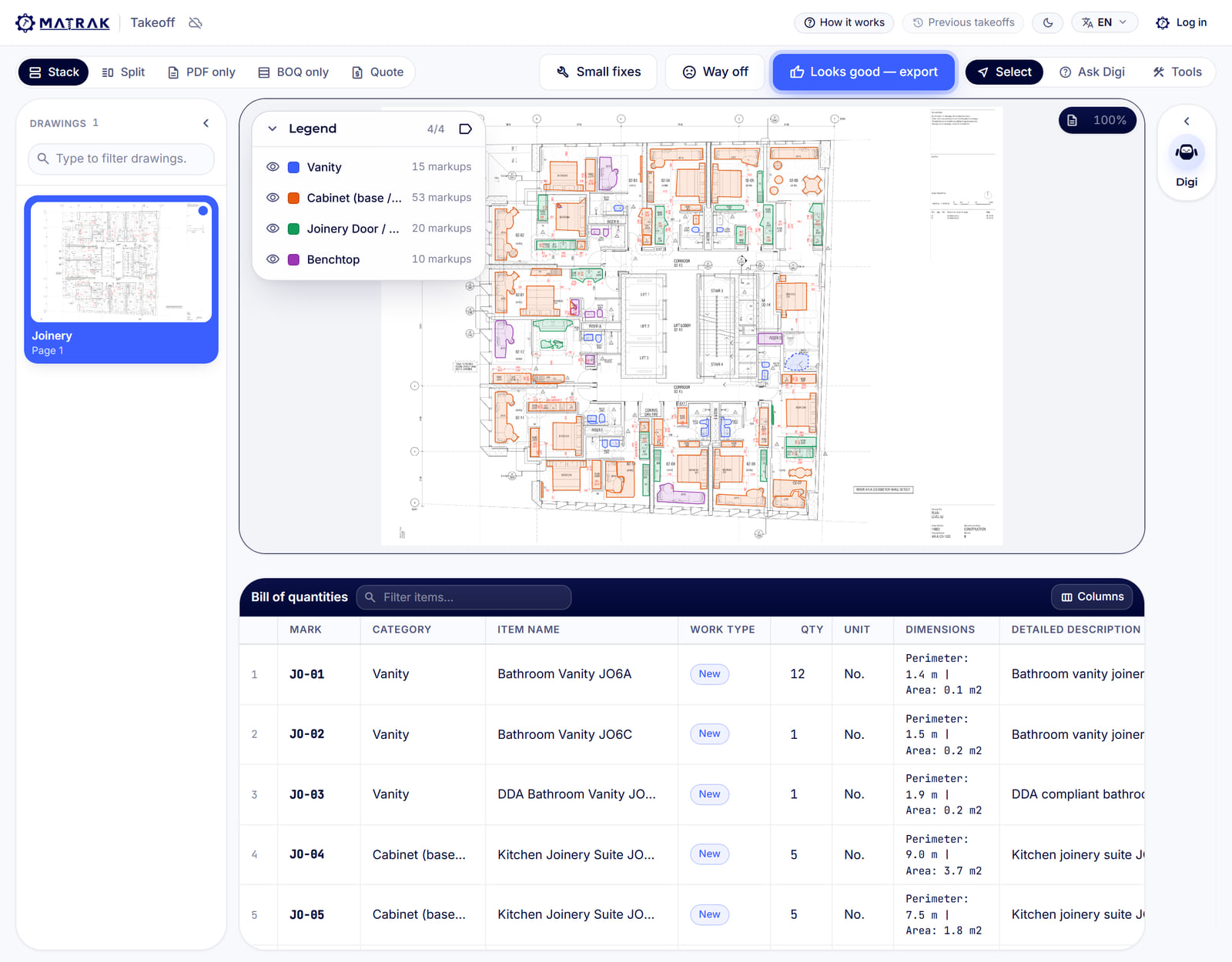
How Matrak does it. In Matrak you create and print QR codes for materials, records, containers and stillages, choosing what is shown on each label. People scan them with the Matrak phone app's built-in scanner, or with an external scanner in a factory, to open the item, update its status and move it on. Scanning several codes in a row updates them together, which suits packing and quality checks. The Supply chain module tracks every product from shop drawing to installed across every company: $30,000 for one project for a year with 5 supplier companies and 25,000 items included. Manufacturers can take Manufacturing alone for $21,600, and installers can take Installation for $7,200, each for one project for a year (A$, plus GST).
It starts from your drawings. AI Takeoff measures the job and links the bill to your own product, price and parts lists, so the list of what to buy and track is made for you, and the QR codes are made from the same drawings. Matrak integrates with Procore, Aconex and Autodesk, so the drawings are fetched with nothing to download and new revisions are picked up as they land. Every change is kept in a full audit history, whether a person or the AI made it.
Frequently asked questions
How are QR codes used in construction?
They are fixed to manufactured items or packs so that anyone on the job can scan them to identify the item, see its status and location, and update it at each step from the factory to installation.
QR codes or RFID: which is better for construction materials?
QR codes are cheap to print and can be scanned with any phone, which matters when many companies are involved. RFID can be read without line of sight and in bulk, but needs tags and readers. Many projects start with QR codes for that reason.
Do subcontractors and suppliers need special equipment to scan?
No. A phone with a camera and the app is enough. Factories that scan all day sometimes add a handheld scanner.
What information should a QR code link to?
The live record for that item: its ID, where it goes, its current status, its history, photos and any defects. A code that only opens a static document is of limited use.
Can QR codes be used for quality checks?
Yes. Scanning an item can open the checklist for it, so factory quality checks, delivery inspections and installation sign-offs are recorded against the exact item.
Sources
Last reviewed 18 November 2026. This guide is general information for people working in construction. It is not legal or contract advice. Check your own contract and the current legislation, or ask a construction lawyer, before you rely on it.