A drawing register is the list of every drawing on a project with its number, title, current revision, date and status, plus who it was issued to. It is how a site knows which drawing is current. Download our drawing register template below, free, for Excel.
It is also called a drawing list or drawing schedule, and a drawing log in the US and Canada. The job is the same in Australia, New Zealand and the UK.
What goes in a drawing register
| Column | What it is for |
|---|---|
| Drawing no | The unique number in the title block, such as A-101 or S-310 |
| Title | What the sheet shows |
| Discipline | Architectural, structural, hydraulic, electrical and so on |
| Scale and size | 1:100 at A1, so a print can be checked at the right size |
| Current revision and date | The latest revision and the day it was issued |
| Status | For information, for approval, for construction, as built or superseded |
| Received from, and date | Who issued it to you and when it arrived |
| Supersedes | The revision it replaces |
| Issued to, and date | Which trades you passed it to, and when |
| What changed | One line on the change, so nobody has to hunt for it |
Revisions and the revision cloud
Each time a drawing changes after issue it gets a new revision: A, B, C or 1, 2, 3. A revision cloud is the bubbly outline a designer draws around the part that changed, with a small triangle holding the revision and a line in the title block's revision table saying what changed.
Clouds are a courtesy, not a guarantee. Changes are sometimes left unclouded, and the clouds from the previous revision are normally removed. Compare the whole sheet with the last revision before you trust it.
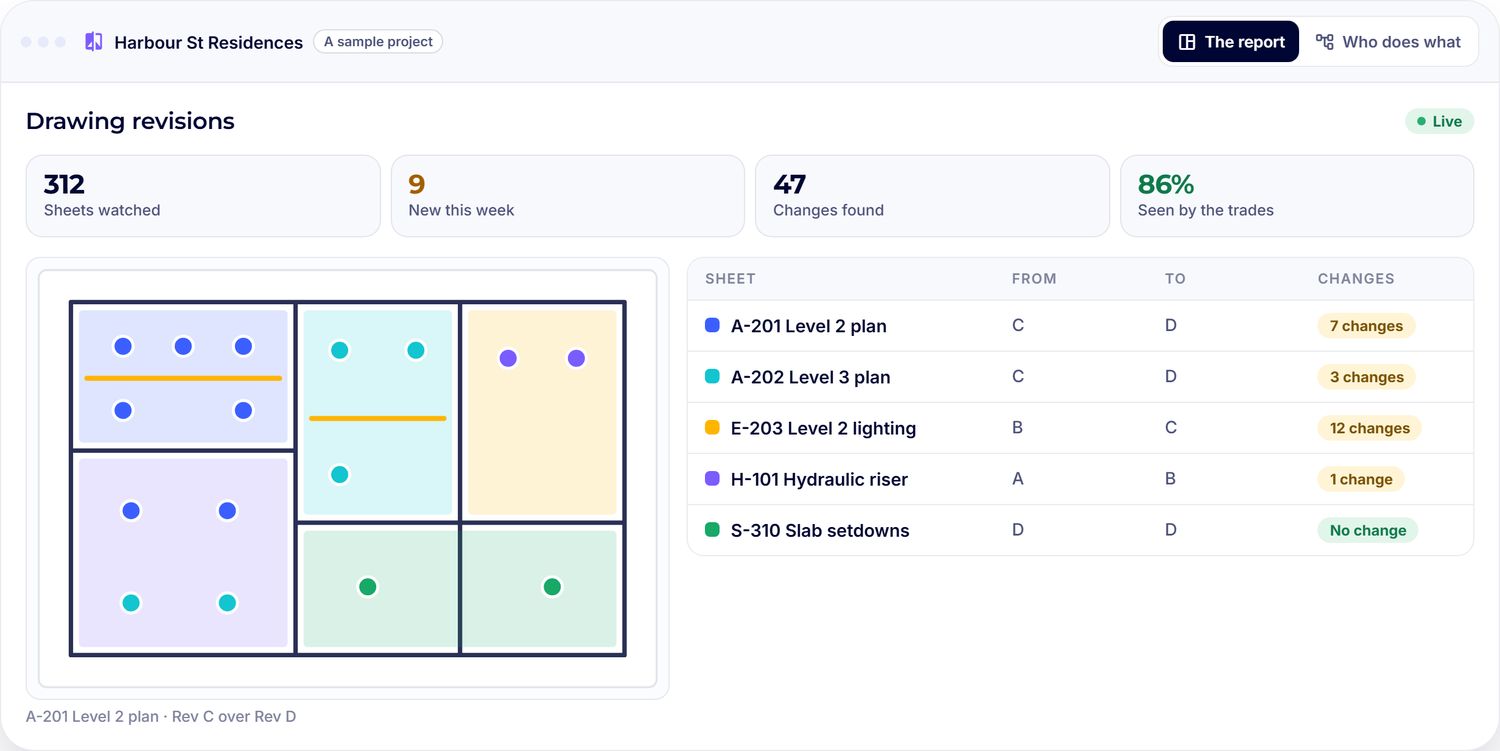
No more rework from a change nobody spotted. Matrak Revisions overlays every new revision on the last and marks the changes.
Free drawing register template
Take our drawing register template for Excel: the columns above, drop-down lists for discipline and status, 30 blank lines on a sheet that prints on A4, and four drawings filled in as an example. No sign-up. H-402 is on the register, but nobody should set out from it: its status says so.
| Drawing no | Title | Rev | Rev date | Status | Supersedes | Issued to | What changed |
|---|---|---|---|---|---|---|---|
| A-101 | Ground floor plan | D | 2 Nov | For construction | C | Site team, formwork, electrical | Wall on grid C moved 300 mm east |
| A-201 | North elevation | B | 14 Oct | For construction | A | Facade, site team | Glass thickness corrected to 12 mm |
| S-310 | Level 3 slab reinforcement | C | 28 Oct | For construction | B | Reo fixer, formwork | Extra bars at penetrations |
| H-402 | Level 4 hydraulic layout | A | 20 Oct | For approval | Plumber, for information only | Not for construction yet |
How to keep the register current
- Update it the day a drawing arrives, before anyone prints it.
- Note the transmittal it came on.
- Issue the new revision to every trade it touches, and record that.
- Mark the old revision superseded and pull the prints.
- Each week, check five drawings in use on site against the register.
A revision that changes the scope is also a variation, and any ITP that quotes the drawing number needs the new revision too.
Common mistakes
- Two registers. The architect's and the builder's, disagreeing.
- Revisions but no recipients. The register says what is current, not who has it.
- No status column. So a drawing out for approval gets built.
- Trusting the cloud. The change that costs you is the one nobody clouded.
- Updating in batches. A week is long enough to pour a slab off the wrong revision.
- Half the set missing. Consultants' drawings and shop drawings belong on the list too.
Every revision compared for you
How Matrak does it. Keep your register where it is. Matrak Revisions reads the drawings in your document system, overlays each new revision on the last and lists which sheets moved, how many changes each has and which trades have seen the current drawing. Nobody hunts for a cloud. $400 a month, with 5 comparisons included (A$, plus GST).
Why site trusts it. One source: the drawings in Procore, Aconex and Autodesk, read where they already live. On Aconex a scheduled task checks for new revisions for you. Each comparison goes into a full audit history, so you can show what changed and who has seen it.
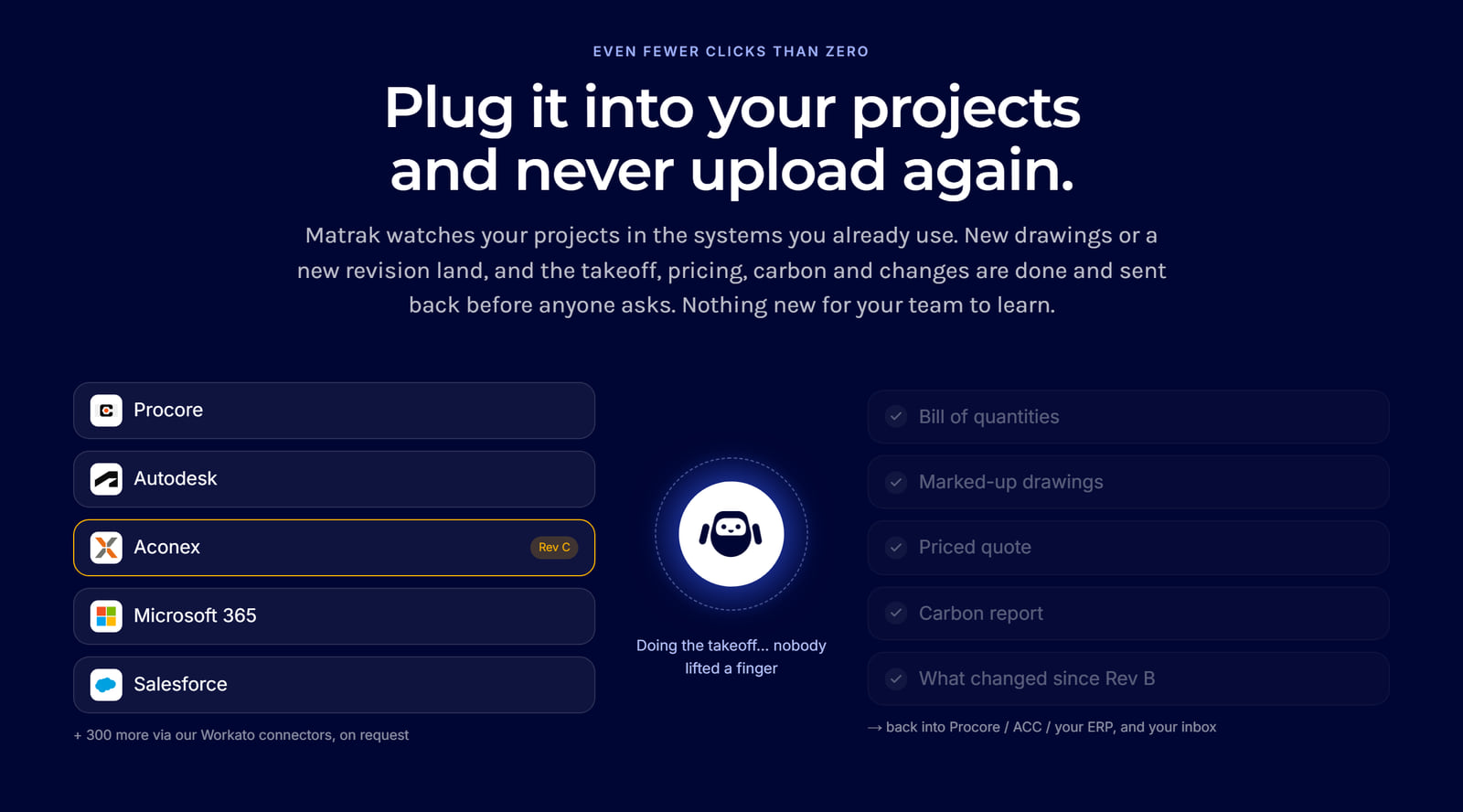
The register is one part of document control in construction. On Aconex, the Aconex MCP lets you ask what revision any drawing is at. Compare Matrak.
Frequently asked questions
What is a drawing register?
A drawing register is a list of all the drawings on a project, showing each one's number, title, current revision, revision date and status, and usually who it has been issued to. It is the reference for which drawing is current.
What is the difference between a drawing register and a transmittal?
The register is the running list of every drawing and its current revision. A transmittal records one issue: which drawings and revisions were sent, to whom, on what date and why. Each transmittal updates the register.
What is a revision cloud?
A revision cloud is a scalloped outline drawn around the part of a drawing that changed in the latest revision, with a tag showing the revision. It points the reader to the change, but not every change is clouded, so compare revisions properly.
Who keeps the drawing register?
The lead designer keeps the register of the drawings they issue. The builder keeps its own for everything received and passed on to subcontractors, usually run by the document controller, site engineer or contract administrator.
How are drawing revisions numbered?
By the project's convention: commonly letters (A, B, C) or numbers, sometimes with a prefix that shows the stage, such as P for preliminary and C for construction. What matters is that each change gets a new revision and the register records it.
Can I keep a drawing register in Excel?
Yes, and on a small job it works well. It becomes hard to keep current when drawings arrive daily from several consultants, because every line is typed by hand. That is when teams move to a document system and a tool that compares revisions for them.